



Introduction Selling an asset that has increased in value can be a positive financial decision, but it may also create tax considerations. If you sell, dispose of, or transfer certain assets, you may need to consider whether Capital Gains Tax (CGT) applies. Capital Gains Tax is an area of UK taxation that many individuals find confusing. Questions often arise around which assets are affected, how gains are calculated, what allowances may be available, and when reporting may be required. Whether you are selling property, shares, cryptocurrency, investments, or other valuable assets, understanding the basics of Capital Gains Tax can help you stay organised and prepare the information you may need for your tax obligations. This guide explains Capital Gains Tax in simple terms, including what CGT is, common assets that may be affected, how gains are generally calculated, common mistakes to avoid, and how digital tools such as Swiftax can help you organise your tax information. Important Disclaimer: This article is provided for general information purposes only and does not constitute tax, accounting, financial, or legal advice. Tax rules, rates, allowances, and reporting requirements may change. The application of Capital Gains Tax rules depends on individual circumstances. Swiftax does not provide personal tax advice through this article. Users should refer to official HMRC guidance or seek advice from a qualified tax professional where appropriate. What Is Capital Gains Tax (CGT)? Capital Gains Tax (CGT) is a tax that may apply when you dispose of certain assets that have increased in value. A disposal does not only mean selling an asset. Depending on the circumstances, it may also include: Selling an asset Giving an asset away (where specific exemptions do not apply) Transferring certain assets Exchanging one asset for another CGT is generally based on the gain made, rather than the total amount received from selling the asset. For example: You purchase shares for £10,000. You later sell them for £15,000. The difference of £5,000 represents a potential gain before considering any allowable costs, losses, reliefs, or applicable allowances. Which Assets Can Be Affected by Capital Gains Tax? Capital Gains Tax may apply to different types of assets. Some common examples include: Property Property is one of the most common areas where CGT considerations arise. CGT may apply when disposing of assets such as: Buy-to-let properties Second homes Holiday homes Land Certain business-use properties Your main residence may qualify for Private Residence Relief if certain conditions are met. However, factors such as periods of letting, business use, ownership circumstances, and other rules may affect the relief available. Because property transactions can involve complex rules, keeping detailed records of purchase costs, improvements, and disposal costs is important. Shares and Investments Capital Gains Tax may apply when disposing of certain investments, including: Shares Investment funds Unit trusts Other financial assets A common misunderstanding is that tax only applies when money is withdrawn from an investment account. In some circumstances, disposing of an investment itself may create a taxable gain. Keeping records of: Purchase dates Purchase values Sale values Transaction costs These can help you maintain accurate information when preparing your tax records. Cryptocurrency and Digital Assets Cryptocurrency is an area where many taxpayers have questions about tax treatment. HMRC generally considers many cryptoassets to fall within Capital Gains Tax rules when certain transactions take place. Examples of transactions that may require consideration include: Selling cryptocurrency for money Exchanging one cryptocurrency for another Using cryptocurrency to pay for goods or services Disposing of cryptoassets in certain circumstances The tax treatment of cryptoassets can depend on the nature and circumstances of the activity. Maintaining complete records of transactions, wallets, and exchanges can help with accurate reporting. Valuable Personal Possessions Certain valuable personal possessions may also need to be considered for CGT purposes. Examples may include: Artwork Jewellery Antiques Collectibles Other valuable items Special rules may apply depending on the type of asset and the circumstances of disposal. How Is Capital Gains Tax Calculated? Calculating a capital gain usually involves several stages. Calculate the Difference Between Purchase and Sale Value A basic calculation is: Sale value – Purchase cost = Capital gain However, the final calculation may require adjustments for eligible costs, losses, reliefs, and allowances. Consider Allowable Costs Certain costs may be taken into account when calculating a gain, provided they meet HMRC requirements. Examples may include: Costs associated with acquiring the asset Costs associated with disposing of the asset Certain improvement costs for qualifying assets Professional fees directly connected with the transaction Keeping supporting documents such as invoices, receipts, and contracts is important. Consider Available Allowances and Reliefs Individuals may have an annual tax-free CGT allowance, known as the Annual Exempt Amount. The amount of this allowance can change between tax years. Other reliefs may also apply depending on the asset type and individual circumstances. It is important to check the latest HMRC guidance or seek professional advice where required. Consider Applicable Tax Rates The CGT rate that applies can depend on factors including: Your taxable income The type of asset Your personal circumstances Available allowances and reliefs Different rules may apply to different asset categories, including residential property. Do You Need to Report Capital Gains Tax? Not every disposal results in a Capital Gains Tax liability or requires reporting. You may need to consider reporting requirements where: Your taxable gains exceed available allowances Specific HMRC reporting rules apply You dispose of certain types of property Other circumstances require disclosure Reporting deadlines can vary depending on the type of disposal, so it is important to understand the relevant requirements. For the latest information, taxpayers should refer to official HMRC guidance. Common Capital Gains Tax Mistakes to Avoid Not Keeping Records One of the biggest challenges with CGT is missing information. Important records may include: Purchase documents Sale documents Transaction statements Receipts for eligible costs Good record keeping can make tax preparation much easier. Forgetting Allowable Costs Some taxpayers only consider the purchase price and selling price. However, eligible costs may affect the
Best Tax Deductions and Allowable Expenses for Freelancers in the UK (2026 Guide)
Being self-employed or working as a freelancer means you are responsible for reporting your income and paying tax on your profits. One of the best ways to reduce your tax bill legally is to claim all allowable business expenses you are entitled to. Allowable expenses reduce your taxable profit, meaning you only pay tax on the income that remains after eligible business costs have been deducted. This guide explains the most common expenses freelancers can claim in the UK and the mistakes to avoid. What Are Allowable Expenses? Allowable expenses are costs that are incurred wholly and exclusively for the purpose of running your business. If an expense is partly personal and partly business-related, normally only the business portion can be claimed. For example: A laptop used entirely for work may be fully allowable. A mobile phone used for both personal and business use may only allow the business proportion. Keeping accurate records throughout the year helps ensure you claim correctly. Common Allowable Expenses for Freelancers Home Office Expenses Many freelancers work from home and may be able to claim costs associated with running their business. You can usually choose between: Simplified Expenses A flat-rate method based on the number of hours you work from home. Actual Costs A proportion of household expenses, such as: Electricity Gas Heating Internet costs Council Tax The amount claimed should reflect business use only. Phone and Internet Costs Business-related communication costs may be allowable. Examples include: Business phone contracts Internet services used for work Mobile data costs If a service is used personally as well, only the business element should normally be claimed. Travel and Mileage Expenses Freelancers can often claim business travel costs. Examples include: Public transport fares Business mileage Parking costs incurred for business reasons Accommodation for business trips However, normal journeys between your home and a permanent workplace are generally treated as commuting and are not usually allowable. Equipment and Software Many freelancers rely on digital tools and equipment to operate their businesses. Potentially allowable costs include: Computers and laptops Printers Business equipment Accounting software Design software Cloud storage subscriptions Online tools used for work Some larger equipment purchases may be treated differently for tax purposes and could qualify for capital allowances. Marketing and Advertising Costs Promoting your freelance business is an important investment. Allowable marketing expenses may include: Website costs Domain registration Online advertising Social media advertising Graphic design services Business stationery Professional Fees and Insurance You may be able to claim costs such as: Accountant fees Tax adviser fees Business insurance Professional indemnity insurance Legal fees related to your business Bank Charges and Payment Fees If you use financial services for your business, you may be able to claim: Business bank charges Payment processing fees Transaction fees Common Tax Mistakes Freelancers Make Not Tracking Expenses throughout the Year Many freelancers lose money by failing to record small but legitimate business costs. Keeping records regularly makes tax filing easier and reduces the chance of missing allowable expenses. Claiming Personal Expenses A common mistake is claiming costs that are not related to business activities. Examples include: Personal shopping Private travel Personal subscriptions Missing Mileage Claims Freelancers who travel for business often forget to record mileage. Keep a record of: Date of journey Destination Business purpose Miles travelled Not Keeping Receipts and Records HMRC requires taxpayers to keep sufficient records to support their tax return. Good record keeping helps you: Complete your return accurately. Support expense claims. Respond to HMRC questions. How Swiftax Helps Freelancers Manage Tax? Keeping track of income and expenses throughout the year makes Self-Assessment much easier. Swiftax helps freelancers: Organise income and expense information. Prepare tax returns. Reduce manual calculations. Manage records digitally. File online when ready. Prepare your Self-Assessment return without a monthly subscription. Pay only when you submit. Frequently Asked Questions Can freelancers claim expenses against tax? Yes. Freelancers can generally claim allowable business expenses that are incurred wholly and exclusively for business purposes. Can I claim my laptop as a freelancer expense? A laptop used for business purposes may be claimable, although the tax treatment can depend on the circumstances and cost. Can freelancers claim home working expenses? Yes. Freelancers working from home may be able to claim simplified expenses or a reasonable proportion of household costs. Can I claim mileage as a freelancer? Yes, business mileage may be claimable when using your own vehicle, provided the journey is for business purposes. Reduce Your Taxable Profit the Right Way Claiming legitimate business expenses helps freelancers pay the correct amount of tax while keeping more of their hard-earned income. The key is accurate record keeping, understanding what qualifies as an allowable expense, and preparing your Self-Assessment return correctly. Start your Self-Assessment with Swiftax today. No subscription. Pay only when you submit. Disclaimer: This article provides general information only and does not constitute tax, accounting, financial, or legal advice. Tax rules and regulations may change, and the application of any information depends on your individual circumstances. Always seek advice from a qualified professional or refer to official guidance before making decisions.
Making Tax Digital (MTD) Explained for Beginners: UK Guide 2026
Making Tax Digital (MTD) is one of the biggest changes to the way individuals and businesses manage their tax obligations in the UK. The initiative is designed to make tax administration more efficient by requiring taxpayers to keep digital records and use compatible software to communicate with HMRC. Whether you run a business, are self-employed, or receive rental income, understanding MTD requirements will help you prepare for upcoming changes and avoid compliance issues. What Is Making Tax Digital (MTD)? Making Tax Digital is a UK government initiative introduced by HM Revenue & Customs (HMRC) to move the tax system towards a fully digital approach. Under MTD, taxpayers within scope must: Keep financial records digitally. Use HMRC-compatible software. Submit required information electronically. The aim is to reduce errors, improve record keeping, and make it easier for taxpayers to manage their tax obligations throughout the year. Why Was Making Tax Digital Introduced? HMRC introduced MTD because many tax errors occur due to: Manual calculations. Lost paperwork. Incorrect record keeping. Late preparation of accounts. Digital records and software help businesses maintain accurate information and identify potential issues earlier. Who Needs to Follow MTD Rules? VAT-Registered Businesses MTD for VAT is already mandatory for most VAT-registered businesses. Businesses must: Keep VAT records digitally. Use compatible software. Submit VAT Returns electronically. MTD applies regardless of turnover, although certain exemptions may apply in specific circumstances. Self-Employed Individuals and Landlords MTD for Income Tax Self-Assessment (ITSA) is being introduced in phases. From: 6 April 2026 Self-employed individuals and landlords with qualifying income above £50,000 will need to follow MTD for Income Tax rules. From: 6 April 2027 The requirement will extend to those with qualifying income above £30,000. Qualifying income generally includes income from: Self-employment. Property rental. What Are the Main MTD Requirements? Digital Record Keeping Taxpayers within scope must maintain records digitally. Digital records may include: Sales income. Business expenses. Purchase information. Property income and expenses. Keeping digital records reduces manual errors and makes reporting easier. Compatible Software You must use software that can communicate with HMRC. Compatible software helps you: Record transactions. Calculate figures. Submit information electronically. Maintain accurate records. Quarterly Updates For MTD for Income Tax, taxpayers will need to send quarterly updates to HMRC. These updates provide HMRC with information about income and expenses during the year. Taxpayers will also need to complete additional year-end submissions, including: End of Period Statement (EOPS). Final Declaration. MTD for VAT vs MTD for Income Tax MTD Area Applies To Main Requirement MTD for VAT VAT-registered businesses Digital VAT records and VAT Return submissions MTD for Income Tax Self-employed individuals and landlords meeting thresholds Digital records, quarterly updates and year-end declaration What Happens If You Do Not Follow MTD Rules? Failure to comply with MTD requirements may result in penalties. Possible issues include: Late submission penalties. Incorrect record keeping. HMRC compliance action. Using suitable software and keeping records updated can help reduce the risk of errors. How Swiftax Helps With Making Tax Digital Swiftax is designed to make digital tax compliance simpler for individuals and businesses. With Swiftax, you can: Maintain digital financial records. Track income and expenses. Prepare tax information throughout the year. Submit compatible tax filings. Manage your tax obligations from one platform. Swiftax helps you move away from time-consuming and frustrating paperwork by bringing your tax information into one easy-to-use online system. Frequently Asked Questions Is Making Tax Digital mandatory? Yes, MTD is mandatory for taxpayers who fall within HMRC’s requirements. The rules depend on the type of tax obligation and income level. Do I need MTD if I am self-employed? You may need to comply with MTD for Income Tax if your qualifying self-employment income exceeds the applicable threshold. Do landlords need Making Tax Digital? Yes, landlords may need to follow MTD for Income Tax rules if their qualifying property income exceeds the required threshold. Can I use spreadsheets for MTD? Spreadsheets may be used in some circumstances if they are digitally linked to compatible software. Manual standalone spreadsheets may not meet MTD requirements. Prepare for Making Tax Digital with Swiftax MTD represents a major shift towards digital tax management in the UK. Preparing early helps you maintain accurate records, understand your tax position, and avoid last-minute compliance issues. With Swiftax, you can manage your tax information digitally and prepare for the future of UK tax reporting. Start using Swiftax today. No subscription. Pay only when you submit. Disclaimer: This article provides general information only and does not constitute tax, accounting, financial, or legal advice. Tax rules and regulations may change, and the application of any information depends on your individual circumstances. Always seek advice from a qualified professional or refer to official guidance before making decisions.
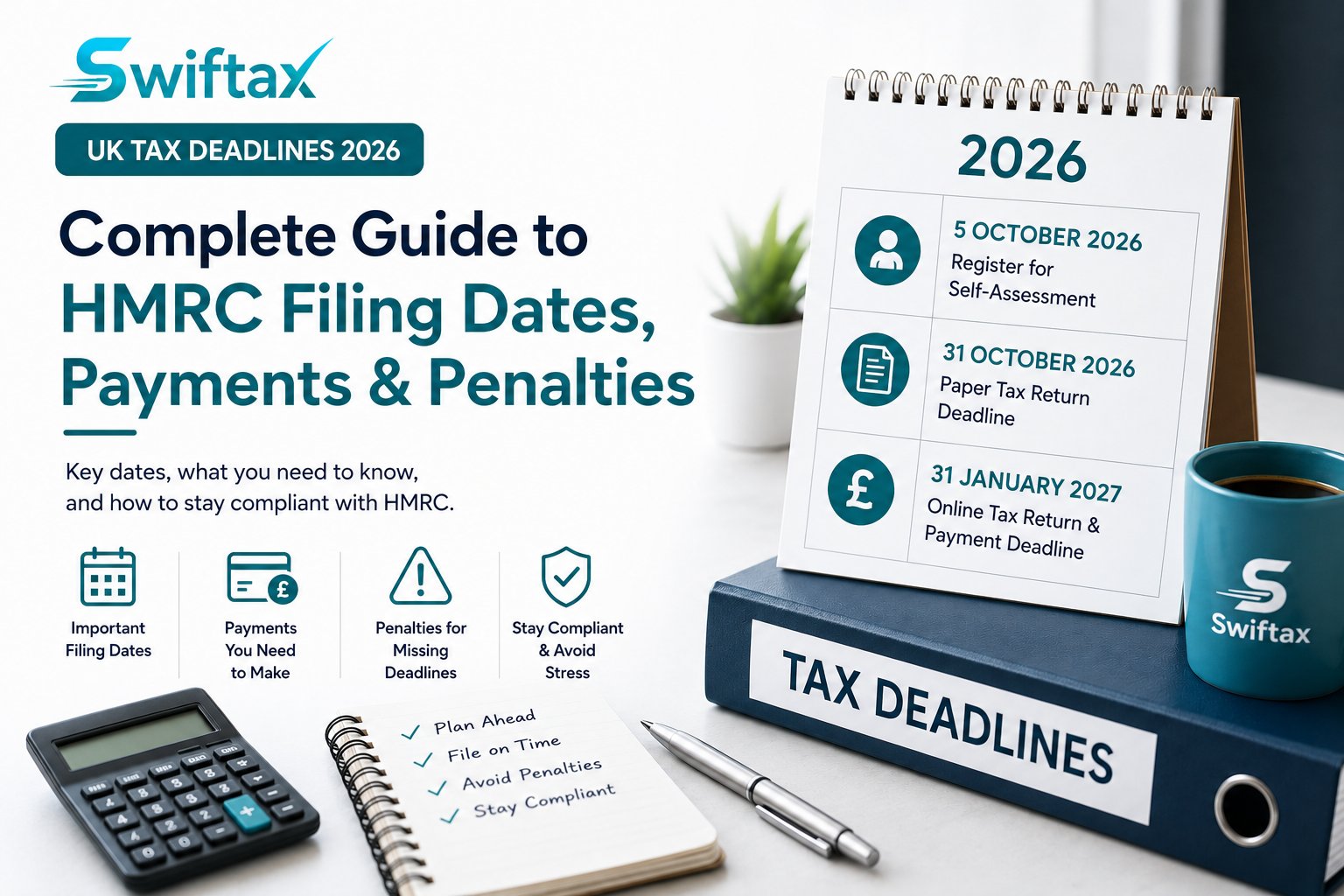
UK Tax Deadlines 2026: Complete Guide to HMRC Filing Dates, Payments and Penalties
Missing an HMRC tax deadline can result in unnecessary penalties, interest charges, and added stress. Whether you’re an employee with additional income, a sole trader, landlord, freelancer, company director, or business registered for VAT, understanding the key UK tax deadlines for 2026 is essential for staying compliant. This guide highlights the most important HMRC filing dates, explains what happens if you miss them, and provides practical tips to help you file on time. Why Tax Deadlines Matter HMRC sets strict deadlines for registering, filing tax returns, and paying any tax owed. Missing these deadlines can lead to automatic penalties, interest on unpaid tax, and further enforcement action if the outstanding obligations are not resolved. Planning ahead allows you to: Avoid late filing and payment penalties. Budget for upcoming tax liabilities. Reduce last-minute errors. Keep accurate financial records throughout the year. Submit returns with confidence. Key UK Tax Deadlines for 2026 5 October 2026 – Register for Self-Assessment If you need to complete a Self-Assessment tax return for the 2025/26 tax year and have not previously registered, you must notify HMRC by 5 October 2026. You may need to register if you: Are self-employed or a sole trader. Became a business partner in a partnership. Received untaxed income. Earn rental income from property. Have capital gains to report. Meet any other HMRC Self-Assessment requirements. Registering early gives you enough time to receive your Unique Taxpayer Reference (UTR) and set up your online tax account before filing. 31 October 2026 – Paper Tax Return Deadline If you choose to submit a paper Self-Assessment tax return, HMRC must receive it by 31 October 2026. Most taxpayers now file online, which offers additional time, automatic calculations, faster processing, and the convenience of submitting from anywhere. 31 January 2027 – Online Tax Return and Payment Deadline This is one of the most important dates in the UK tax calendar. By 31 January 2027, you must: Submit your online Self-Assessment tax return for the 2025/26 tax year. Pay any Income Tax and National Insurance due. Pay your first Payment on Account for the following tax year, if applicable. Leaving your return until the last few days increases the risk of missing the deadline due to technical issues or missing information. VAT Return Deadlines If your business is registered for VAT, your filing and payment deadlines depend on your VAT accounting period. The exact due date depends on the business’s VAT stagger and filing frequency (monthly, quarterly, or annually where applicable). Most VAT-registered businesses submit returns every three months, and both the VAT Return and payment are generally due one calendar month and seven days after the end of the VAT period. Businesses required to comply with Making Tax Digital (MTD) for VAT must maintain digital records and submit VAT Returns using compatible software. What Happens If You Miss an HMRC Deadline? Failing to file or pay on time can result in financial penalties and interest. Depending on your circumstances, you may face: For Self-Assessment tax returns, a £100 fixed late filing penalty normally applies if your online return is submitted after the deadline, even if no tax is due. Additional daily penalties if your return remains outstanding. Further penalties after six and twelve months. Interest charged on late tax payments. Late payment penalties where applicable under HMRC’s penalty rules. The longer a return or payment remains outstanding, the greater the potential cost. Tips to Stay Ahead of Tax Deadlines Good preparation makes tax compliance much easier. Consider these best practices: Keep bookkeeping records up to date throughout the year. Store receipts and invoices digitally. Monitor important HMRC deadlines. Estimate your tax bill before it becomes due. Submit returns well before the deadline. Use software that reminds you of upcoming filing obligations. Why Use Swiftax? Swiftax is designed to simplify UK tax filing by helping individuals and businesses manage their tax obligations efficiently. With Swiftax you can: Prepare and submit tax returns online. Track important filing deadlines. Reduce manual paperwork. Pay only when you submit your return. No ongoing subscription required. Whether you’re filing your own return or managing multiple clients, filing early reduces stress and helps avoid unnecessary penalties. Frequently Asked Questions What happens if I miss the Self-Assessment deadline? HMRC may charge late filing penalties, interest on unpaid tax, and additional penalties depending on how long the return remains outstanding. Can I file my tax return before January? Yes. You can prepare your return after the tax year ends (5 April). HMRC typically opens its online filing service for the new tax year shortly afterwards, allowing returns to be submitted well before the January deadline. Filing early allows you to know your tax bill well in advance of the payment deadline. Do I have to file online? Most taxpayers choose to file online because it provides extra time compared with paper returns, performs automatic calculations, and offers quicker processing. All features fully supported by Swiftax. What if I cannot pay my tax bill on time? You should contact HMRC as soon as possible. In some cases, you may be able to arrange a payment plan, depending on your circumstances and eligibility. Don’t Leave Your Tax Return until the Last Minute Meeting HMRC deadlines helps you avoid unnecessary penalties, interest, and last-minute pressure. By keeping accurate records and filing early, you can stay compliant and manage your tax obligations with confidence. Start filing your tax return with Swiftax today. There are no monthly subscriptions—simply pay when you submit your return. Disclaimer: This article provides general information only and does not constitute tax, accounting, financial, or legal advice. Tax rules and regulations may change, and the application of any information depends on your individual circumstances. Always seek advice from a qualified professional or refer to official guidance before making decisions. “Smart people learn from everything and everyone, average people from their experiences, stupid people already have all the answers.” Transforming Industries: How Our Digital Products Drive Success Dwelling and speedily ignorant any steepest. Admiration instrument affronting
How to File a Self-Assessment Tax Return in the UK (2026 Guide)
Filing a Self-Assessment tax return can seem complicated, especially if you are completing one for the first time. Understanding what income needs to be reported, which expenses you can claim, and when your tax return and payments are due can help you avoid mistakes and unnecessary penalties. This guide explains how to file a Self-Assessment tax return in the UK, who needs to file, what information you need, and how online tax software like Swiftax can simplify the process. What Is a Self-Assessment Tax Return? Self-Assessment is HMRC’s system for collecting Income Tax from individuals whose tax is not fully collected automatically through PAYE. Instead of tax being deducted directly from your salary or pension, you are responsible for reporting your income, claiming eligible reliefs and expenses, calculating your tax liability, and paying any tax due. A Self-Assessment tax return may be required if you have income or gains that need to be reported to HMRC, or if HMRC has issued you a notice requiring you to file. Who Needs to File a Self-Assessment Tax Return? You may need to complete a Self-Assessment tax return if you: Are Self-Employed or a Sole Trader If you run your own business, work as a freelancer, or earn income from trading activities, you will usually need to register for Self-Assessment and report your business income and allowable expenses. Examples include: Freelancers Consultants Online sellers Contractors Independent professionals Side businesses Receive Rental Income If you receive taxable income from property rental, you may need to report it through Self-Assessment. You may need to declare: Rental income received Allowable property expenses Finance costs where applicable Property-related adjustments The requirement depends on your individual circumstances and whether HMRC requires you to file. Earn Income from Additional Sources You may need to file if you receive income that is not fully taxed through PAYE, including: Dividend income Savings income Foreign income Capital gains Certain pension income Other taxable income Are a Partner in a Business Partnership? Partners in a business partnership are generally required to complete a Self-Assessment tax return to report their share of partnership profits. HMRC Has Asked You to File Even if your circumstances do not appear to require a return, you must submit one if HMRC issues a notice requiring you to complete a Self-Assessment return. When Do You Need to Register for Self-Assessment? If you need to file a Self-Assessment return for the first time, you normally need to register with HMRC by: 5 October following the end of the tax year in which you started needing to file. For example: If you started self-employment during the 2025/26 tax year, you would normally need to register by 5 October 2026. After registration, HMRC will provide your: Unique Taxpayer Reference (UTR) Your UTR is a 10-digit number used to identify your Self-Assessment account. Step-by-Step Guide to Filing Your Self-Assessment Tax Return Step 1: Register with HMRC If you have never filed a Self-Assessment return before, you need to register with HMRC. During registration you will provide information such as: Personal details National Insurance number Business details (if applicable) Income details HMRC will send your UTR after registration. You can register through the official HMRC website. Step 2: Gather Your Information and Records Before starting your tax return, collect all relevant documents for the tax year. You may need: Income Information Self-employment income records Sales invoices Rental income records Employment income details P60 or P45 Dividend statements Bank interest statements Pension income details Foreign income information Expense Information If you are self-employed, you may need records of allowable business expenses, such as: Office costs Software subscriptions Professional fees Insurance Travel expenses Advertising costs Equipment costs Only expenses that are wholly and exclusively for business purposes can normally be claimed. Step 3: Complete Your Tax Return Your Self-Assessment return includes different sections depending on your circumstances. Common sections include: Personal information Employment income Self-employment income Property income Savings and investment income Dividend income Capital gains Tax reliefs and allowances Make sure all information is complete and accurate before submission. Step 4: Calculate Your Tax Liability Once your information has been entered, your tax return will calculate: Income Tax due National Insurance contributions (where applicable) Payments on Account (where applicable) Tax already deducted through PAYE Using a reliable tax software like Swiftax can help reduce calculation errors and ensure figures are prepared correctly. Step 5: Submit Your Return to HMRC Most taxpayers submit their Self-Assessment return online. For the 2025/26 tax year: Online filing deadline: 31 January 2027 Tax payment deadline: 31 January 2027 You should submit your return before the deadline to allow time to resolve any issues. What Happens After You Submit Your Tax Return? After successful submission: HMRC confirms receipt of your return. Your tax calculation becomes available. You can review your tax liability. You must pay any tax due by the relevant deadline. Keep copies of your return and supporting records for future reference. Common Self-Assessment Mistakes to Avoid Many taxpayers make avoidable errors when completing their returns. Common mistakes include: Forgetting to Declare Income All taxable income must be reported, including income from: Freelance work Online businesses Rental properties Investments Foreign sources Claiming Incorrect Expenses Not every expense is allowable. Common errors include claiming: Personal expenses Private purchases Costs without supporting records Missing Tax Deadlines Late filing can result in penalties and interest charges. Self-Assessment deadlines include: 5 October — Registration deadline 31 October — Paper return deadline 31 January — Online return and payment deadline Not Keeping Proper Records HMRC requires taxpayers to keep sufficient records to support their tax return. Good record keeping helps you: Complete returns accurately. Support expense claims. Respond to HMRC enquiries. How Swiftax Makes Self-Assessment Easier Completing a tax return does not need to be stressful. Swiftax helps simplify the process with: Easy-to-use online tax filing Automatic tax calculations Cloud-based access Simple guided questions Secure digital records No monthly subscription required You can prepare your return for free and only pay when you submit.